Momo: Desk Buddy Robot
Full-stack autonomous desk robot with webcam tracking, voice controls, and servo actuation
Summary
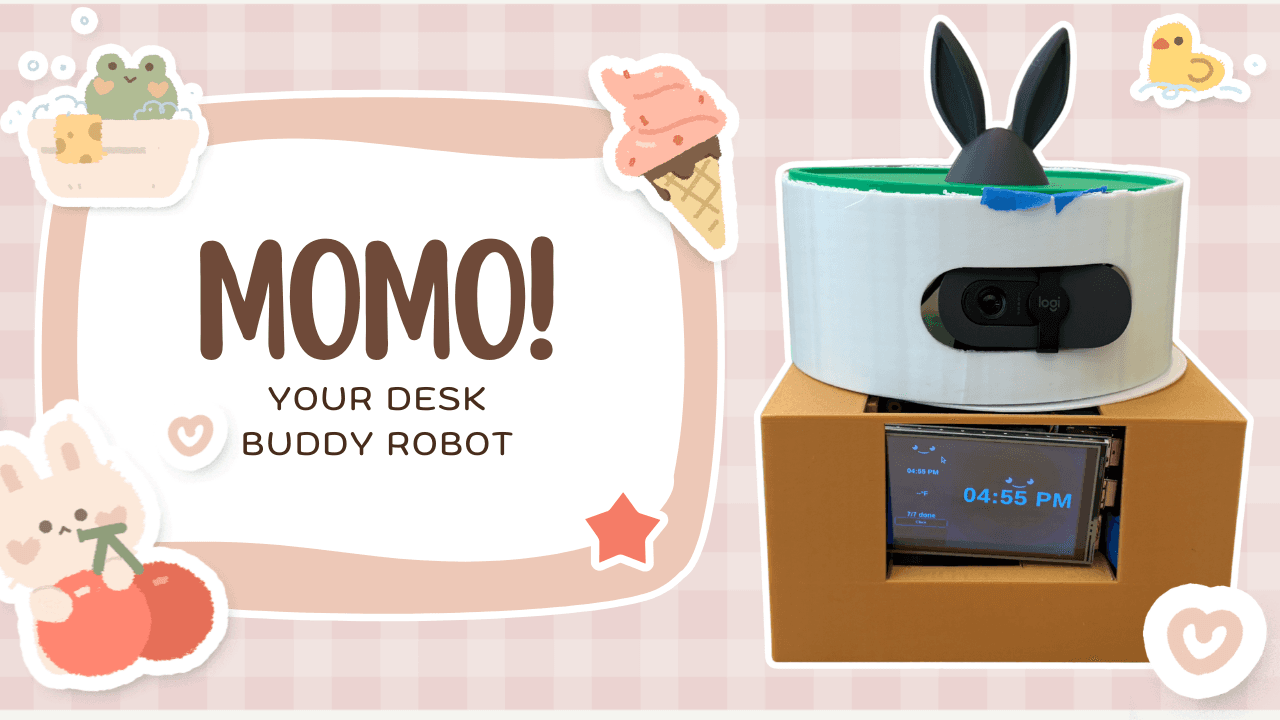
Momo is a full-stack desk robot built around a Raspberry Pi 5, Flask backend, OpenCV webcam pipeline, touch/web interface, and Arduino-controlled servo system. It responds to voice commands, displays a real-time interactive UI, tracks nearby users with a webcam, controls servo movement, manages tasks and reminders, fetches live weather, runs Pomodoro timers, plays music, and switches between sleep and wake modes.
The project was designed as a complete robotics software system: sensing, state management, user interaction, background processing, and physical actuation all run together on connected hardware.
Problem
I wanted to build a physical robot that felt interactive and useful while forcing me to solve real robotics software problems: coordinating perception, UI, voice input, timers, reminders, and servo actuation without relying on a large robotics framework.
The challenge was not just making each feature work independently. The harder problem was keeping the robot responsive while multiple systems updated the same state at the same time.
System Design
Momo uses a Flask backend as the main control center. The robot receives input from three main sources:
- –Voice commands from a USB microphone
- –Touch and web interactions from the screen/UI
- –Webcam input processed with OpenCV
When a user gives a command, the command parser determines the requested action, such as checking the weather, adding a task, starting a timer, playing music, changing the robot’s expression, or moving the servo. The backend then calls execute_action(), which updates a shared state dictionary used by the rest of the system.
The shared state stores the robot’s current screen, voice status, face expression, weather data, task list, timers, reminders, presence detection, sleep mode, music status, and servo position. The frontend repeatedly reads this state through Flask API routes and updates the display. Other background systems use the same state to trigger spoken responses, weather updates, music playback, timer countdowns, and Arduino servo movement.
This centralized state design keeps the system organized because features communicate through one shared source of truth instead of each subsystem managing its own disconnected state.
Hardware
Momo uses:
- –Raspberry Pi 5
- –Logitech Brio 100 1080p webcam
- –3.5-inch Raspberry Pi touchscreen
- –USB microphone
- –USB mini speaker
- –MG995 servo motor
- –Arduino Uno R3
- –PowerCore 10K battery pack
- –Jumper wires and custom wiring layout
The Raspberry Pi runs the high-level application logic, Flask server, OpenCV processing, UI, voice command handling, and background threads. The Arduino handles low-level servo actuation and hardware control.
Implementation
Momo uses concurrency so multiple features can run at once, including voice listening, timer countdowns, reminders, camera tracking, Flask API updates, music playback, and servo control.
Because these threads interact with the same shared state dictionary, the program uses a state_lock to protect shared data such as the current screen, timer state, tasks, sleep mode, presence status, and servo angle. This prevents race conditions, such as two threads updating the face expression or timer state at the same time.
Slower operations, including weather requests, speech playback, music subprocesses, and camera processing, run outside the lock so the robot stays responsive while coordinating several background systems.
OpenCV processes webcam frames to detect a nearby person and update the robot’s presence state. The servo system uses this information to turn the camera toward the user, creating a more interactive desk companion experience.
The Flask frontend displays the current time, date, weather, tasks, timers, robot expression, voice status, sleep status, and music controls. Tasks are stored in a JSON file so they persist after the robot restarts.
Features
Momo supports:
- –Webcam-based presence detection and camera tracking
- –Voice commands for time, weather, tasks, timers, reminders, music, and robot actions
- –Touch/web interface for navigation and controls
- –Live New Haven weather with temperature, conditions, and clothing suggestions
- –Persistent task storage using JSON
- –Add, complete, view, and remove task workflows
- –25-minute and 5-minute Pomodoro timers
- –Spoken reminders, such as “remind me to drink water in 30 minutes”
- –Daily summaries with time, weather, and pending tasks
- –Music playback with stop controls
- –Sleep and wake modes
- –Arduino-driven servo movement
- –Shared-state concurrency with locking for safe multithreaded updates
Results
Momo successfully integrates perception, voice input, UI interaction, persistent task management, timers, reminders, weather updates, music playback, and servo actuation into one physical robot system. The robot stays responsive while multiple background systems run concurrently and coordinate through a shared Flask-controlled state.
The project demonstrates a complete hardware/software robotics stack using Python, Flask, OpenCV, Raspberry Pi, Arduino, and servo control.
Lessons Learned
Momo taught me how to design a full-stack robotics system that coordinates software, electronics, physical layout, and real-time user interaction. I learned how to structure a central state model, protect shared data with locks, and keep slower I/O operations from blocking the robot’s main behavior.
The biggest engineering lesson was that robotics systems are often less about one difficult algorithm and more about coordinating many imperfect subsystems safely. Voice input, camera processing, UI updates, timers, reminders, and hardware control all operate at different speeds, so the architecture needs to make those interactions predictable.
If I continued the project, I would replace parts of the thread-based design with asyncio, add smoother camera tracking with filtering, and design a more robust physical enclosure for the screen, webcam, Arduino, wiring, and servo assembly.